
Your first dungeon
START WITH THE BIG PICTURE
What does this part of Epok do?
A guided first dungeon: create the Dungeon template, play it, roll new seeds, change the route and the look, add a minimap, pick a seed that fits and let game code ask where things are.
- 01Create and play the Dungeon template
- 02Change the recipe, the style and the seed
- 03Add the minimap, test seeds, query from code
What is happening under the hood?
- The template uses the Third Person character in a recipe dungeon with stairs, caves, a key, a locked door and a handmade room.
- Every generation is one undo step, and the band shows the console budget before you build.
- Keys and doors work the same in C++, Blueprint and Lua.
Field note: Press New seed freely: Ctrl+Z brings back the dungeon you liked better.
You are about to build a dungeon for a console that came out before most of its future players were born. It will have rooms, corridors, stairs, a key, a locked door and a minimap, and you will not draw a single wall by hand. The Dungeon Generator does the heavy lifting; you make the decisions and take the credit.
This tutorial takes about twenty minutes. It assumes Epok is installed and running; if it is not, start with Getting started and come back. Bring snacks.
1. Create the project
Open the Hub, choose New project, pick the Dungeon card and press Create project. Leave the gameplay choice on C++: it is the lightest on the console and the easiest to read. Blueprint and Lua behave exactly the same if you prefer them.
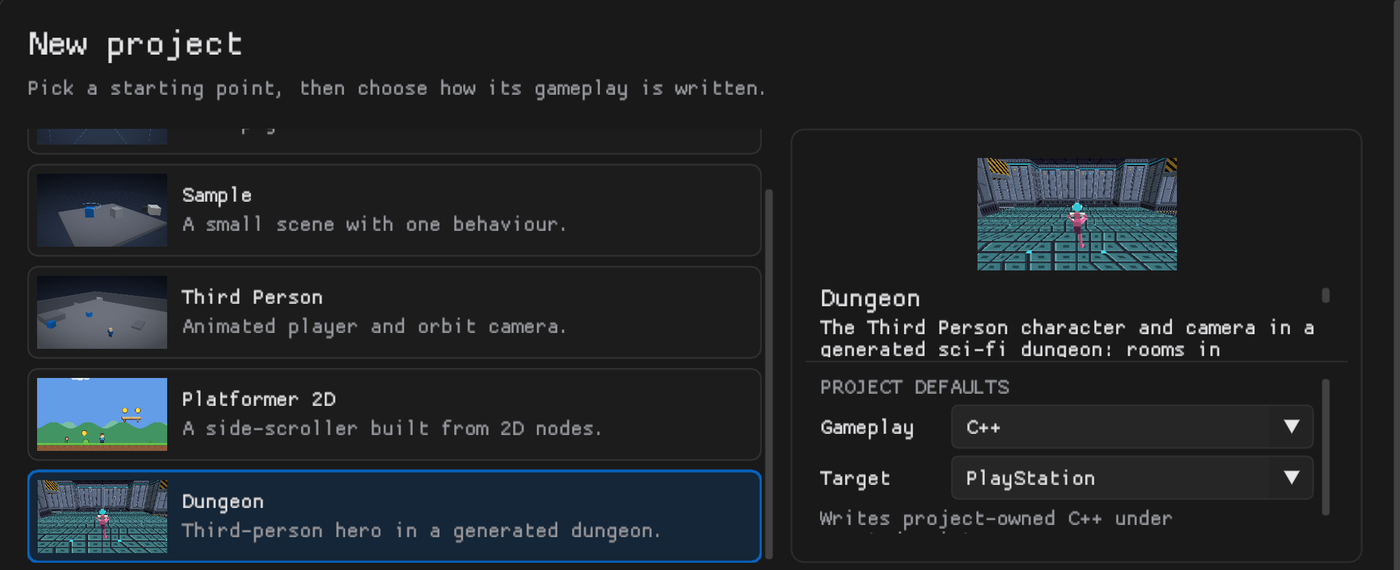
Epok writes the project, generates a dungeon, bakes its lighting and opens the map with the whole thing in view. That pile of rooms is yours now. No refunds.
2. Play it before you touch anything
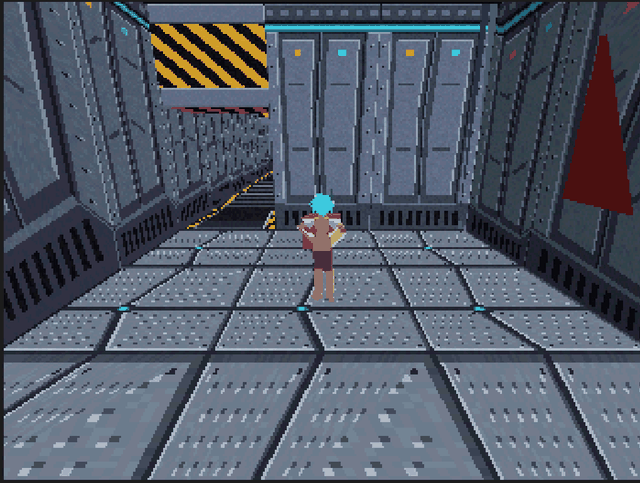
Press Play. The Third Person character starts in the spawn room, on the console's own renderer. Move with the left stick or WASD, orbit the camera with the right stick or the mouse, and jump with Cross or K.
Somewhere on a side branch there is a gold key. Find it, walk into it, and watch the red door it opens disappear, wherever that door is. Corridors between rooms on different floors hold flights of stairs: walk up them, walk down them, feel very professional.
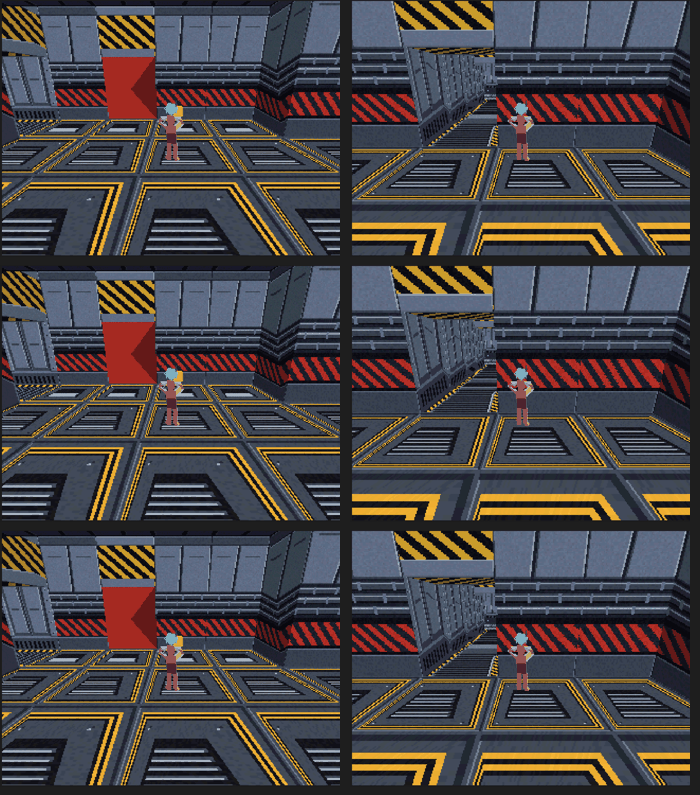
Only the character picks keys up. If a crate could do it, puzzles would be very short.
3. Roll a new dungeon
Stop Play and select Dungeon in the Hierarchy. Its Dungeon Generator band is in the Inspector. Press New seed: a different dungeon from the same recipe appears in the Scene view, and Ctrl+Z brings the old one back if you miss it.
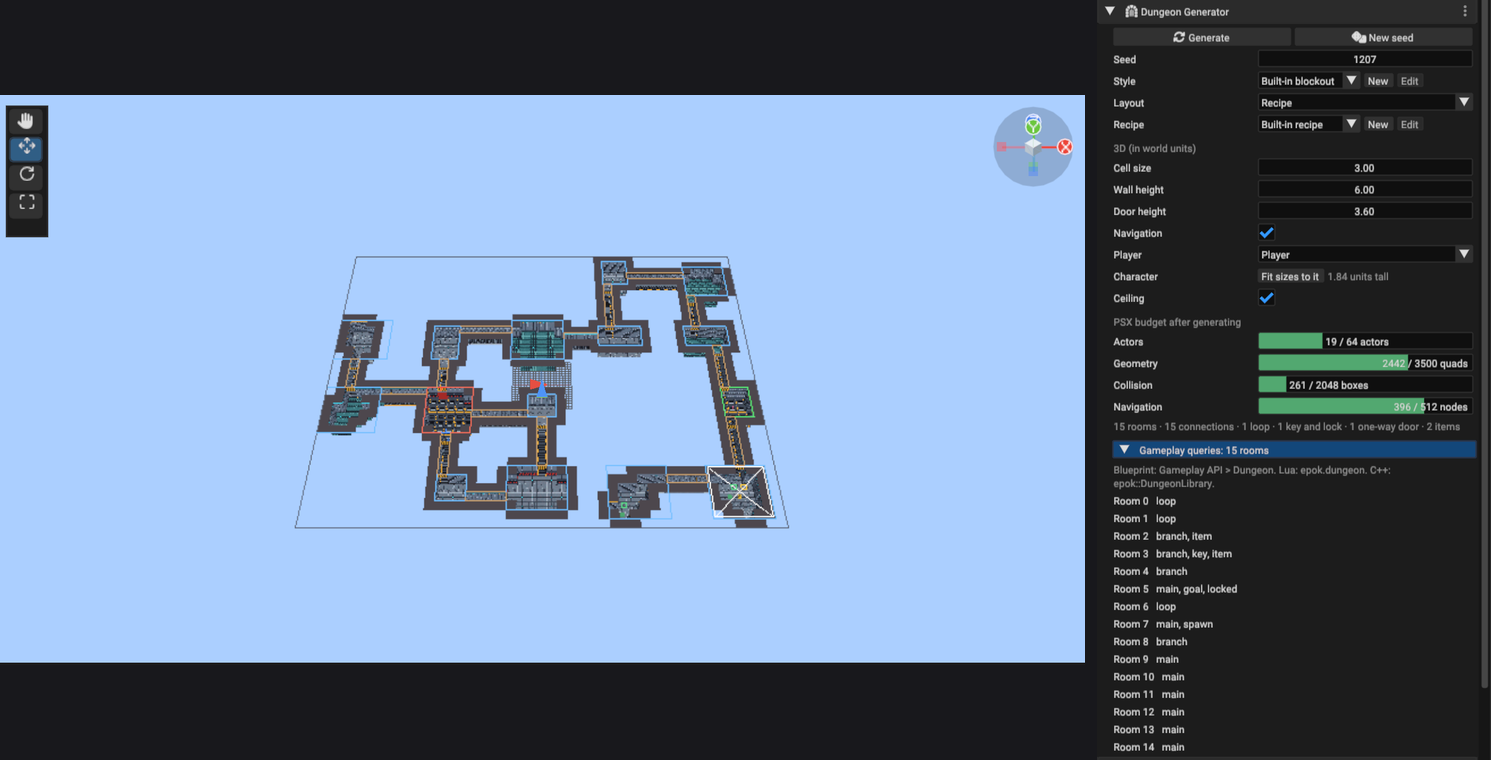
Under the settings, the band's meter shows what the map will cost the console: actors, quads, collision boxes and navigation nodes. Green means comfortable. Amber means the PlayStation is starting to sweat. The meter knows before the build does, which is the whole point.
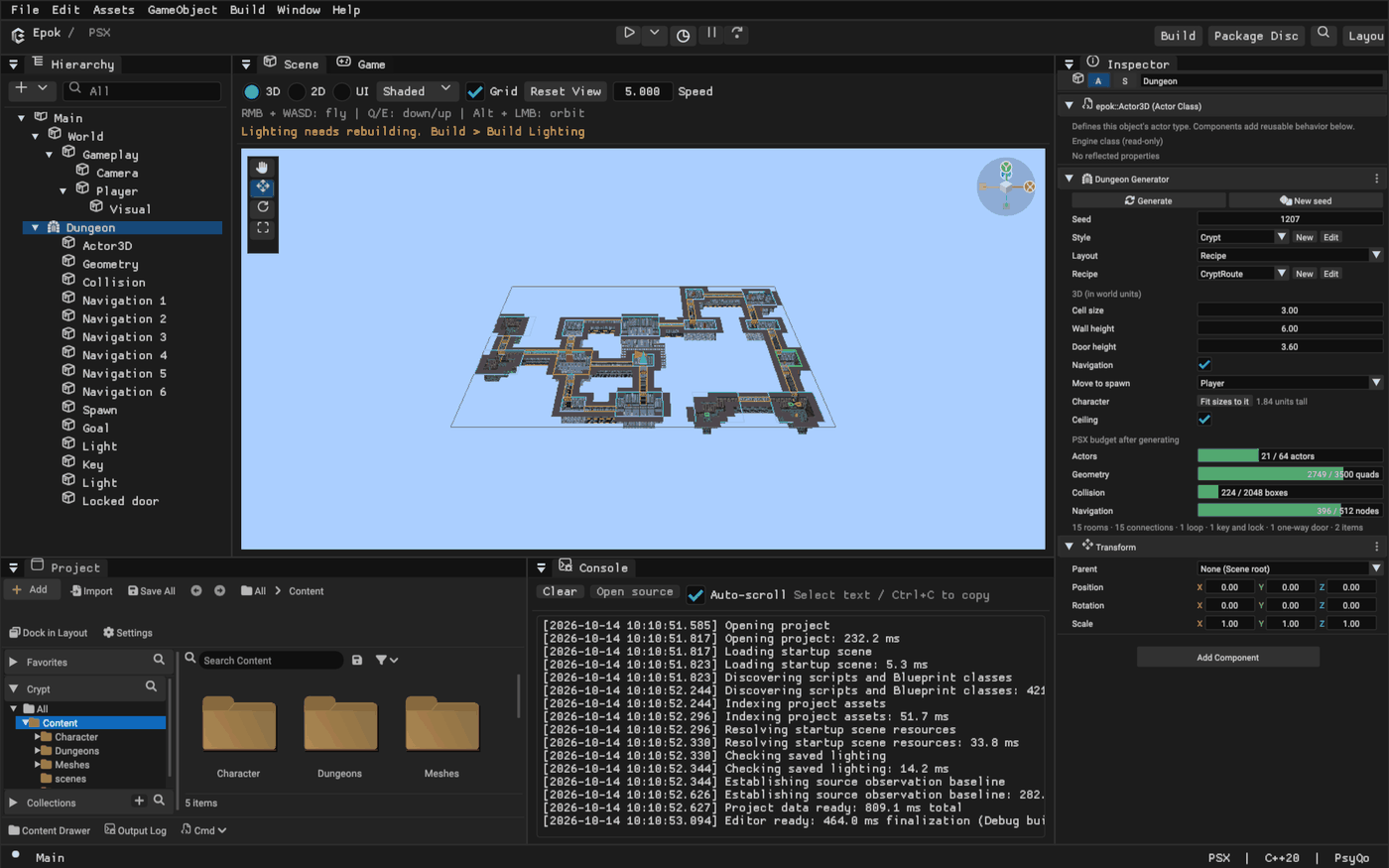
4. Make the route yours
The route is a Dungeon Recipe: a list of steps, run top to bottom. Press New beside Recipe to get an editable copy, and it opens in the recipe editor.
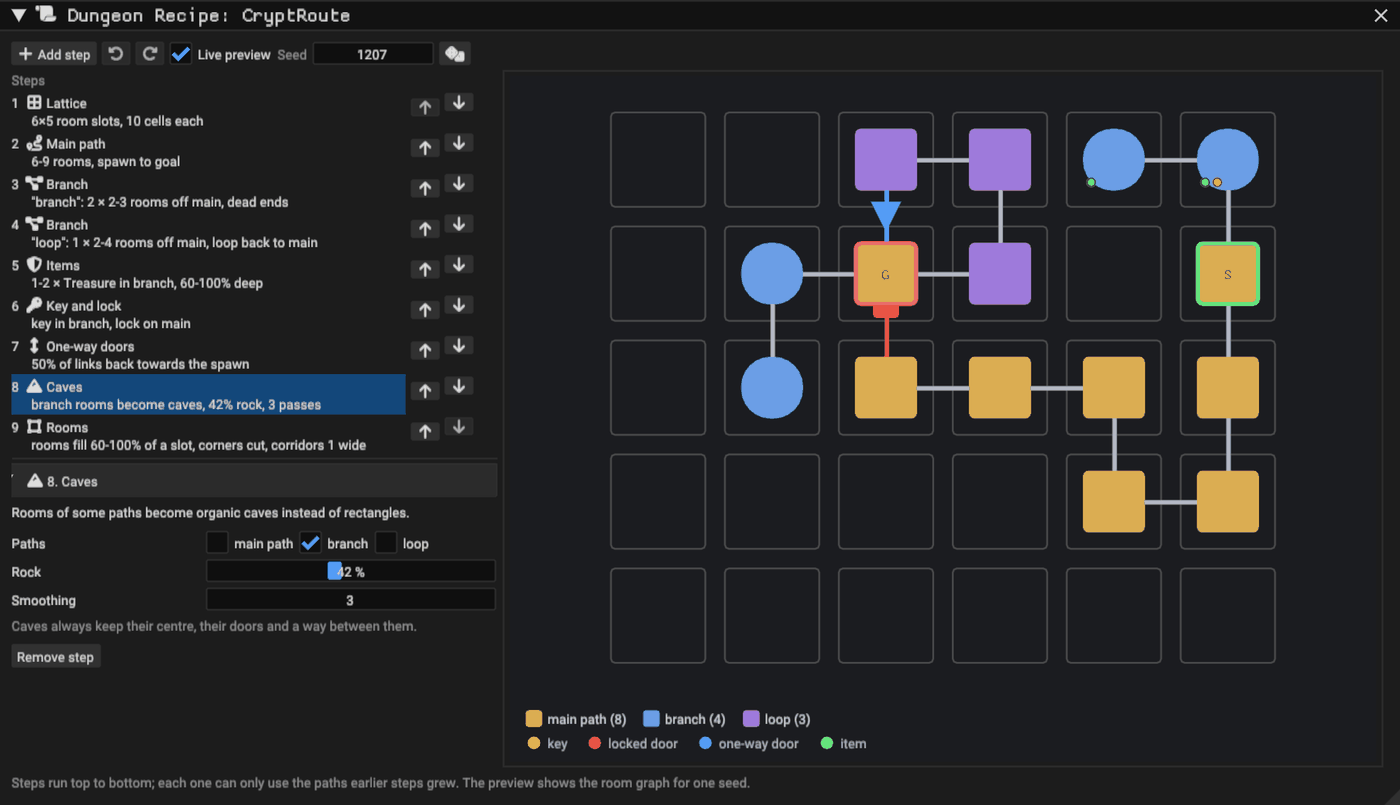
Try these, one at a time, and watch the room graph on the right change as you type:
- Main path: make it longer. The goal moves further away; your character's legs file a complaint.
- Branch: add another branch, or point one back at the main path to make a loop.
- Key and lock: the key always lands somewhere you can reach before its door, and the door always really blocks something. The recipe checks every placement by walking the dungeon and picking keys up, so you cannot accidentally lock the key behind its own door.
- Levels: raise Climb chance for more stairs. A small arrow and a number in the corner of a room show its floor.
Every valid edit is saved, and with Live preview on the map regenerates as you go. A step with a problem turns amber and says why. Think of it as a very polite level designer looking over your shoulder.
5. Change the look
The look is a Dungeon Style. Press New beside Style for an editable copy. The style editor shows every spot the generator found (floors, walls, doors, corners, columns, ceilings, keys and more) and the pieces that become them.
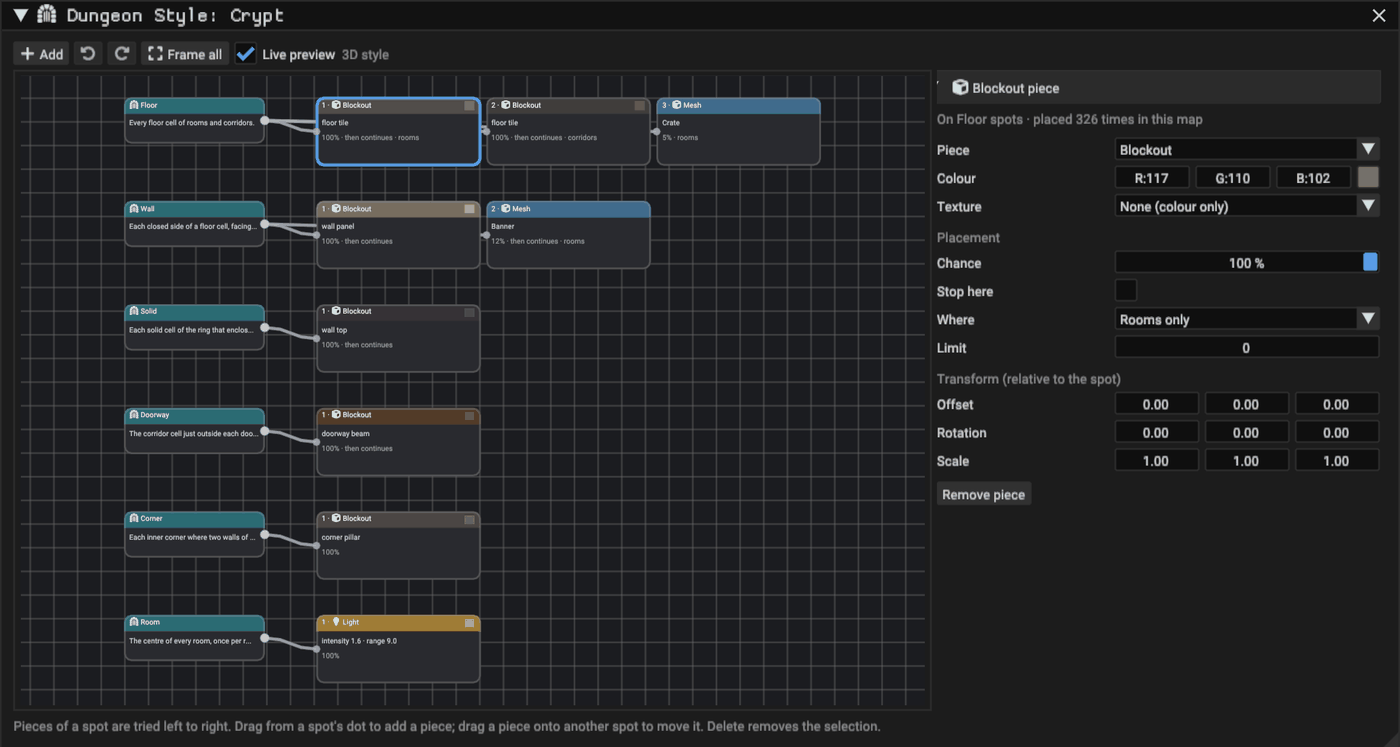
Drag from a spot into empty space to add a piece: a mesh of your own, a light, or an actor of any class. Give it a chance below 100% for some variety, or tick Same for the whole room so a whole room gets it or none does. Want a crate in a third of the rooms? That is one piece, one chance, zero hand placement.
6. Turn on the minimap
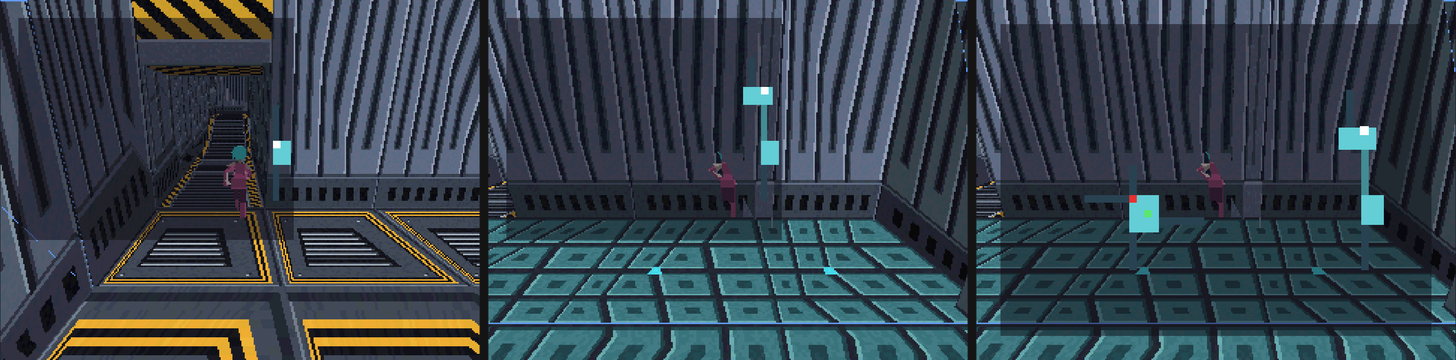
Open Minimap in the band and tick it. Pick a corner and a size. When Shows is set to As the player explores, the map starts almost empty and fills in as you walk: a room appears once you enter it, with dim stubs of the corridors that leave it.
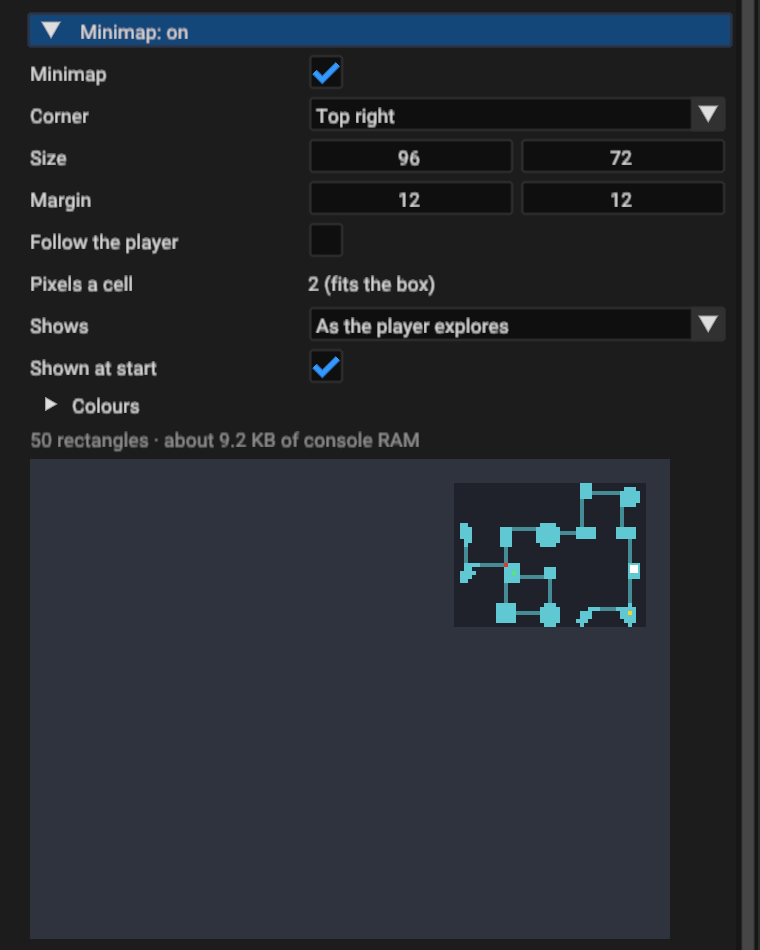
Press Play and wander. Keys show on the map until you pick them up, locked doors until they open, and the goal once you have found its room. It costs about 9 KB of the console's RAM, which is less than this paragraph would take as a texture.
7. Pick a seed you can trust
Seeds are free, but not every seed fits every budget. Under the meter, press Test seeds.... The seed bench lays out a few hundred seeds without touching your map and measures each one against the console.
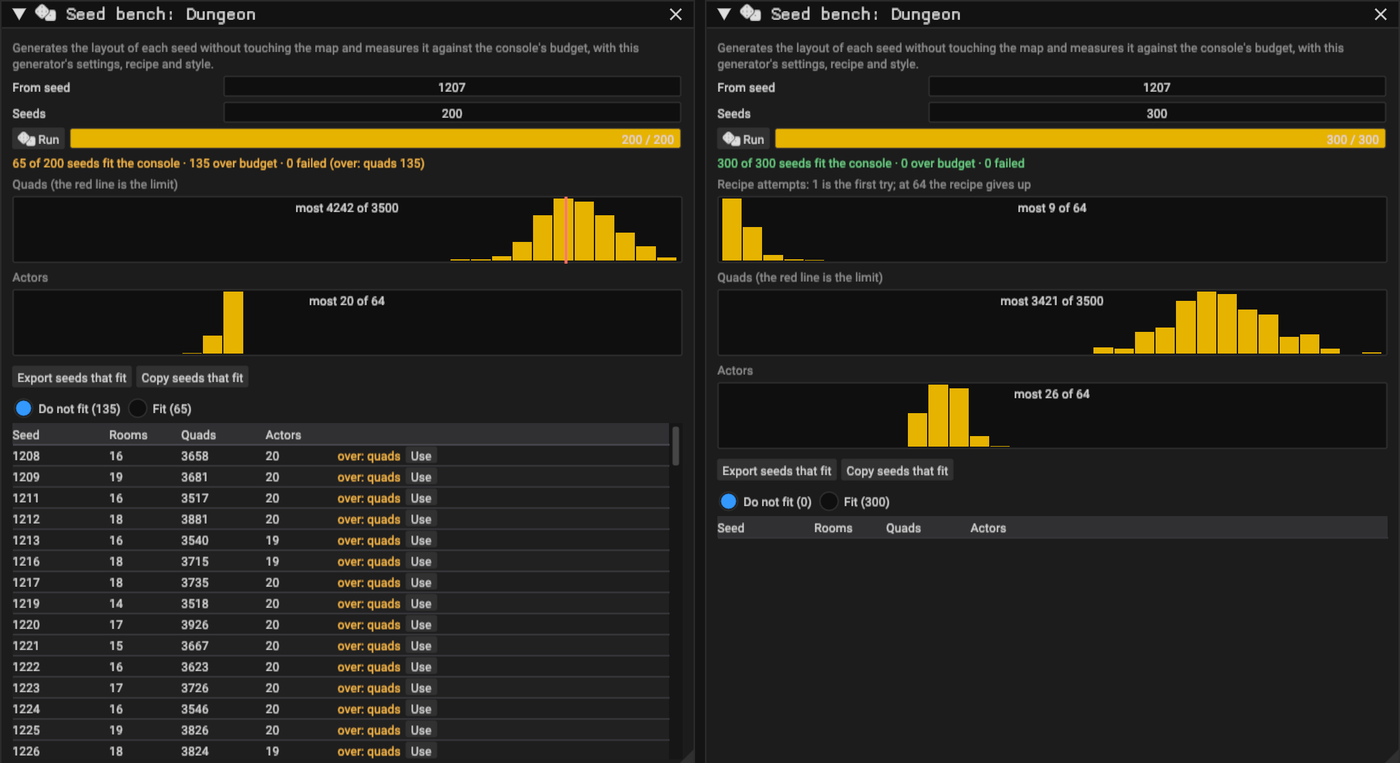
If the quads histogram leans on the red line, your settings live dangerously close to the
limit: loosen them before you fall in love with a seed. Otherwise press Use on any
seed in the table and it becomes your dungeon, in one undo step. Export seeds that fit
writes them to a CSV in the project's exports/ folder, for the day you want a new
dungeon every time someone presses Start.
8. Let your game ask questions
Game code can ask the generated dungeon where things are: which room the player is in, which room comes next on the way to the goal, where the keys are, where there is free floor for an enemy. In C++:
const int32_t here = epok::DungeonLibrary::room_of(player);
const int32_t next = epok::DungeonLibrary::next_room(here, epok::DungeonLibrary::goal_room());
const auto beacon = epok::DungeonLibrary::room(next).center;
In Lua the same library is epok.dungeon, and in Blueprint it is Gameplay API >
Dungeon. Open Gameplay queries at the bottom of the band to see the rooms numbered the
way your code sees them; pointing at a row lights that room up in the Scene view.
Where next
- Build a dungeon room by hand: when generated rooms are not special enough.
- Dungeon Generator: every setting, step, spot and limit.
- Dungeon template: what is in the project and how its key and door work in each language.
You built a dungeon without drawing a wall. Your secret is safe with us.